Screen time, with a face iPhone · Android · Chrome · Edge

Don't let your brain rot.

Meet Brain Buddy. Brain Rest turns your screen time into a brain you can see, from Fresh to Dead. Then it gives you limits, focus sprints and bedtime locks to keep Buddy fresh.

5.0 on the Chrome Web Store
Meet your 10 brains.more screen time, sadder Buddy →

Tap a brain to poke it. Each one moves its own way.

An animated story: the same day of scrolling twice. Without Brain Rest, nearly twelve hours of screen time take Brain Buddy from Level 1, Fresh, to Level 10, Dead. Rewound and replayed with Brain Rest, a calm rest screen appears at a 1 hour 30 minute app limit and Buddy stays at Level 2, Chill.

Without Brain Rest

Go on. Scroll.

One ordinary day, sped up. Keep scrolling and watch what it does to Buddy.

Tools

Then stop the rot.

Everything in Brain Rest is a way to look after Buddy. Each tool has a plain name, and Buddy's own name in handwriting.

Snack jars

Daily limits

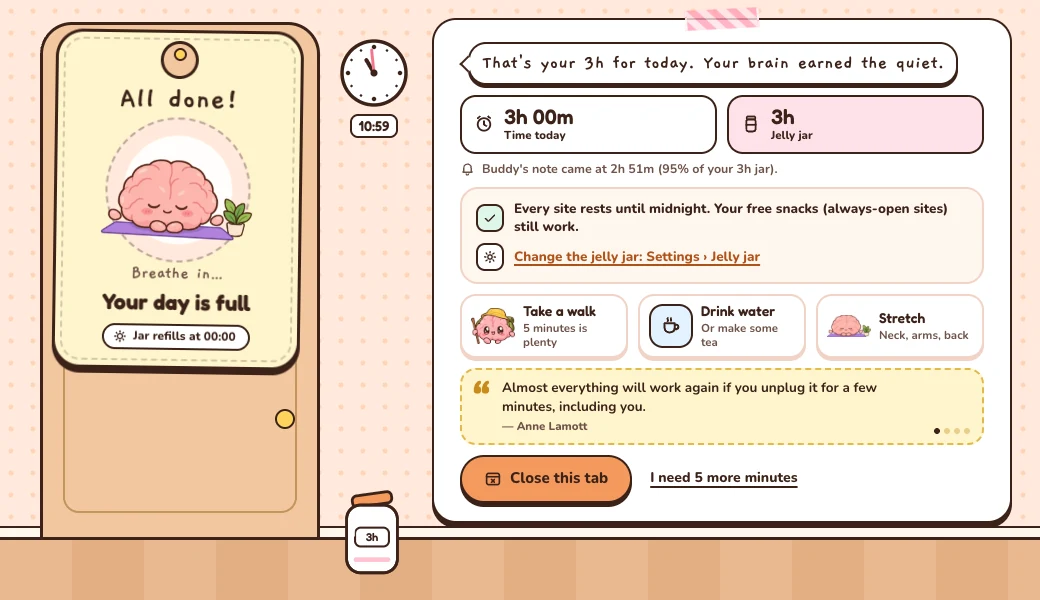
Give each app or site a daily jar. It drains as you use it, and when it's empty the lid goes on until midnight.

Story time

Bedtime lock

At lights out, the apps you pick go to sleep with Buddy until morning.

Blanket fort

Focus sprints

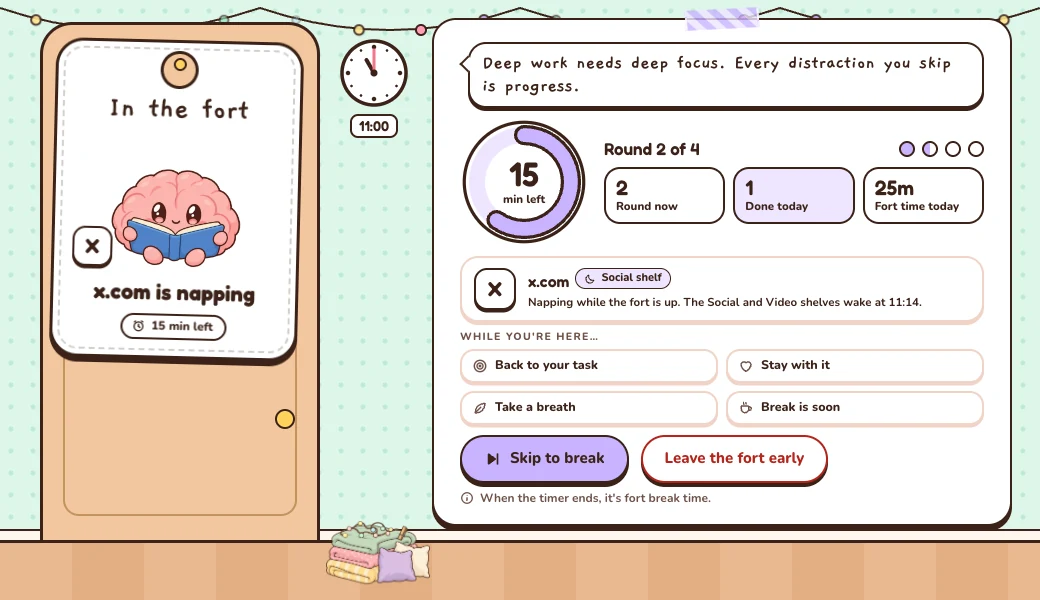
Build a fort for 25 minutes. Distracting apps and sites nap outside. Press play to try it.

The freezer

Blocked sites

Put a site in the freezer and it stays shut, with your own note on the door.

Buddy on your home screen

Widgets

See Buddy and your time left without opening anything.

Sticker album

Your history

Every day gets a Buddy sticker, so a good week (or a rough one) is easy to spot.

Pocket Buddy

On every site

A tiny Buddy rides along in the corner of the sites you visit, so you always know where the day is.
Inside the app

The real thing.

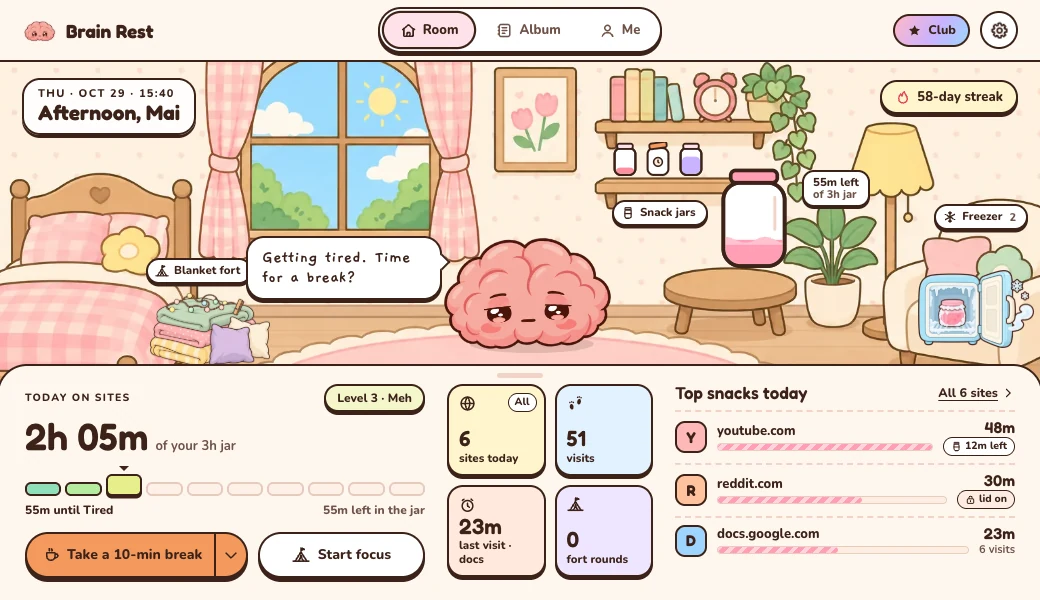
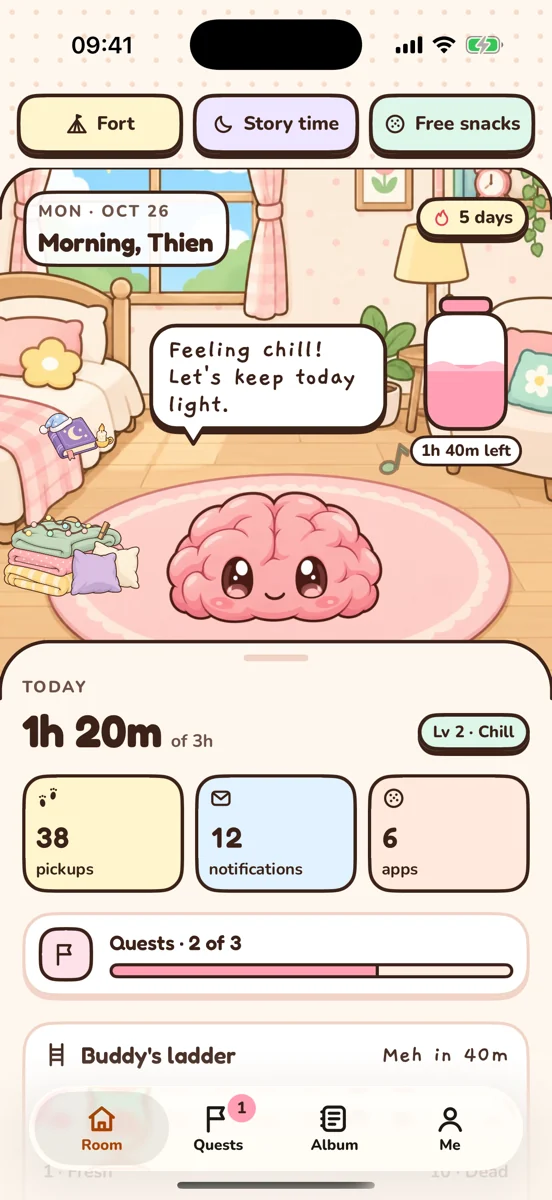
Buddy's Room: today's time, Buddy at Level 2 and the jelly jar with 1h 40m left
Buddy's Roomyour home screen
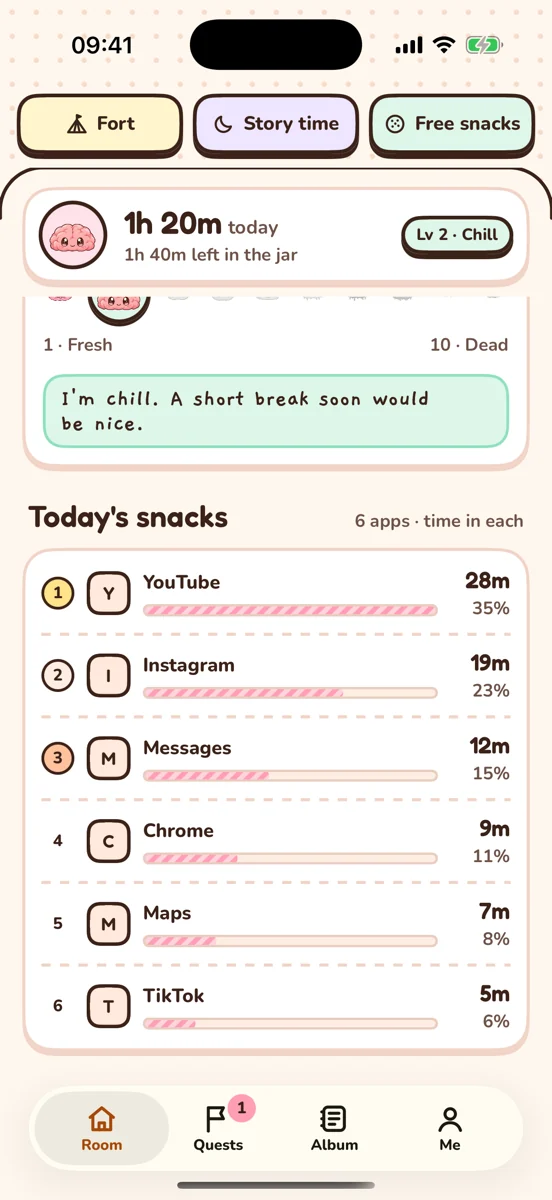
Today's snacks: time in each app
Today's snackstime in each app
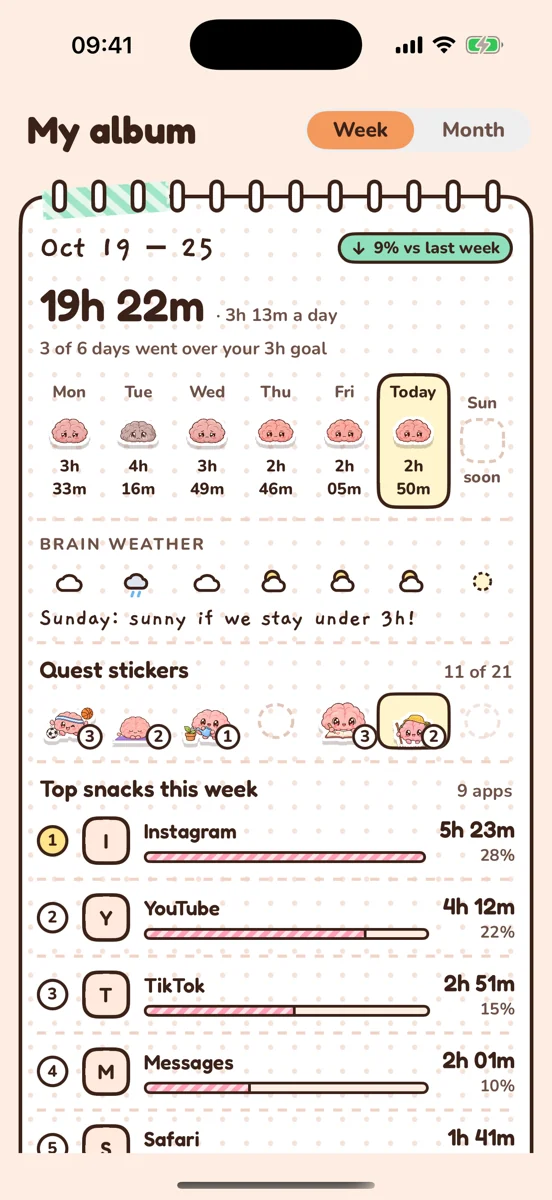
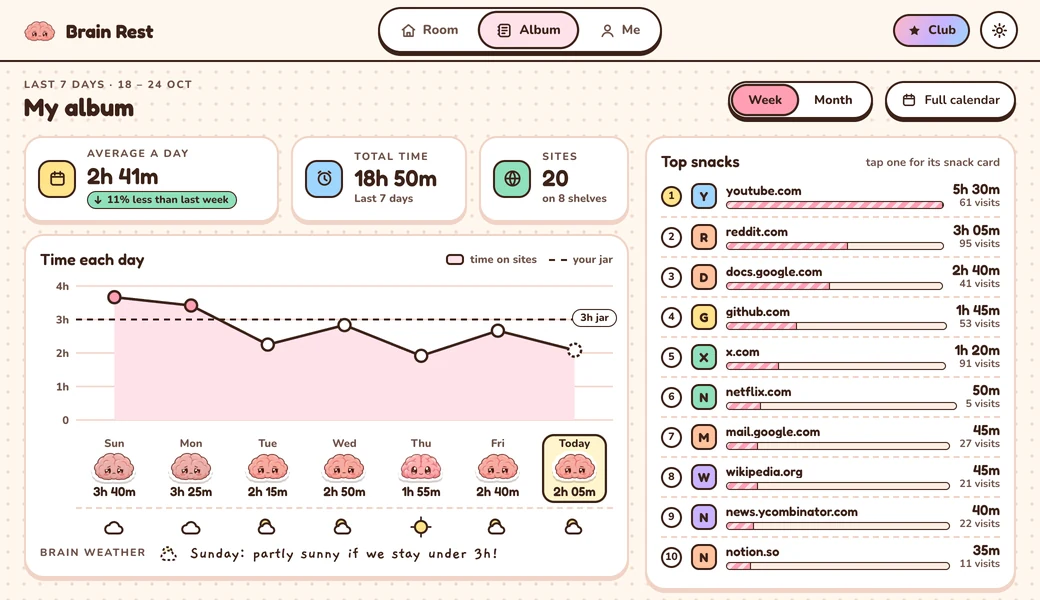
My album: the week's screen time with a Buddy sticker for each day
Sticker albumyour week at a glance
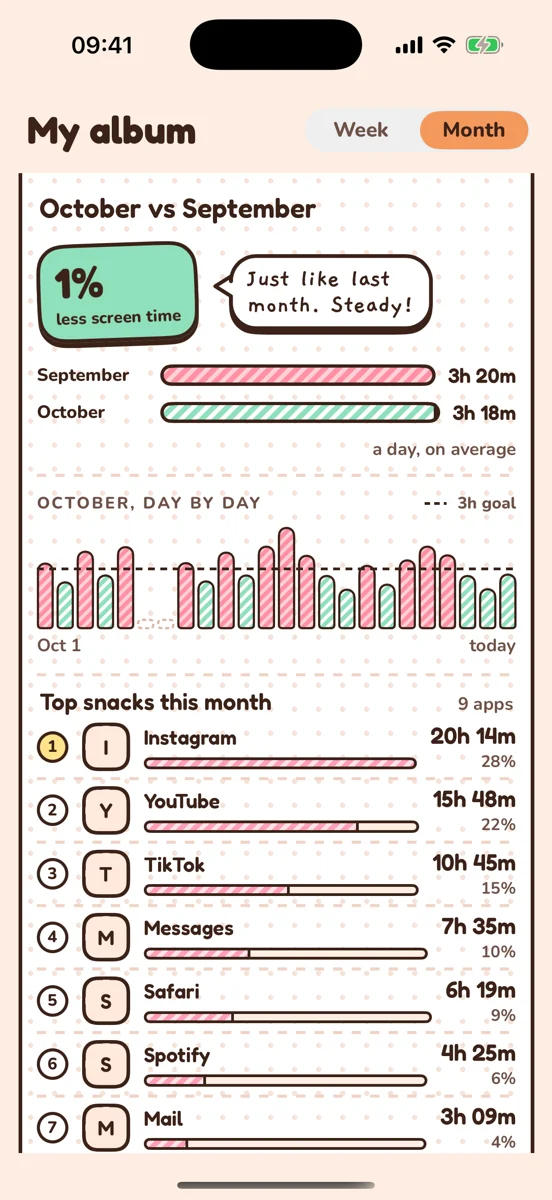
This month compared with last month, day by day
Month viewthis month vs last
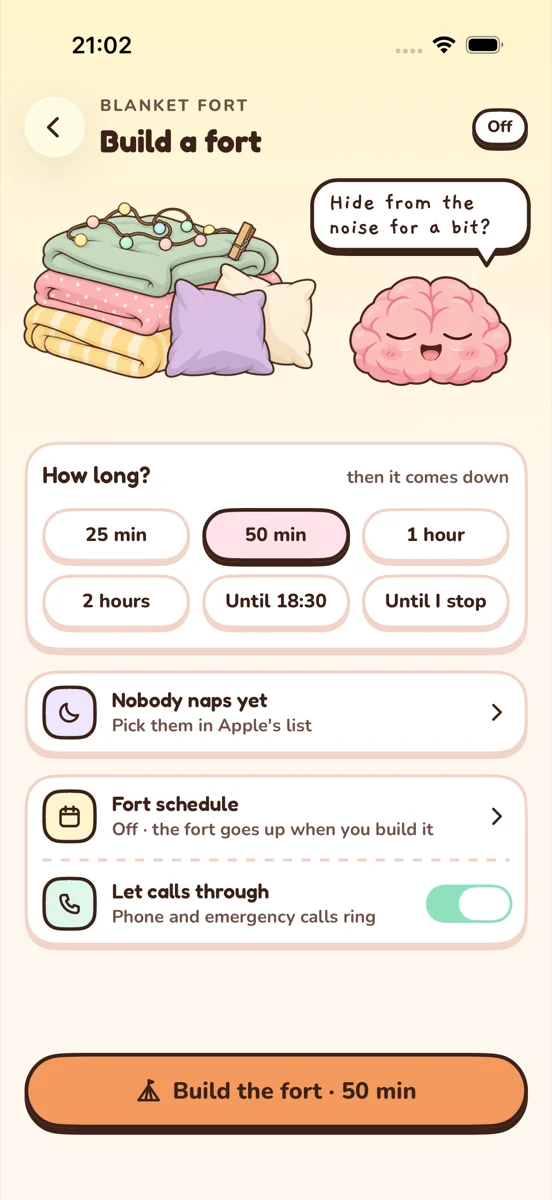
Build a fort: choose how long to focus
Blanket fortfocus mode
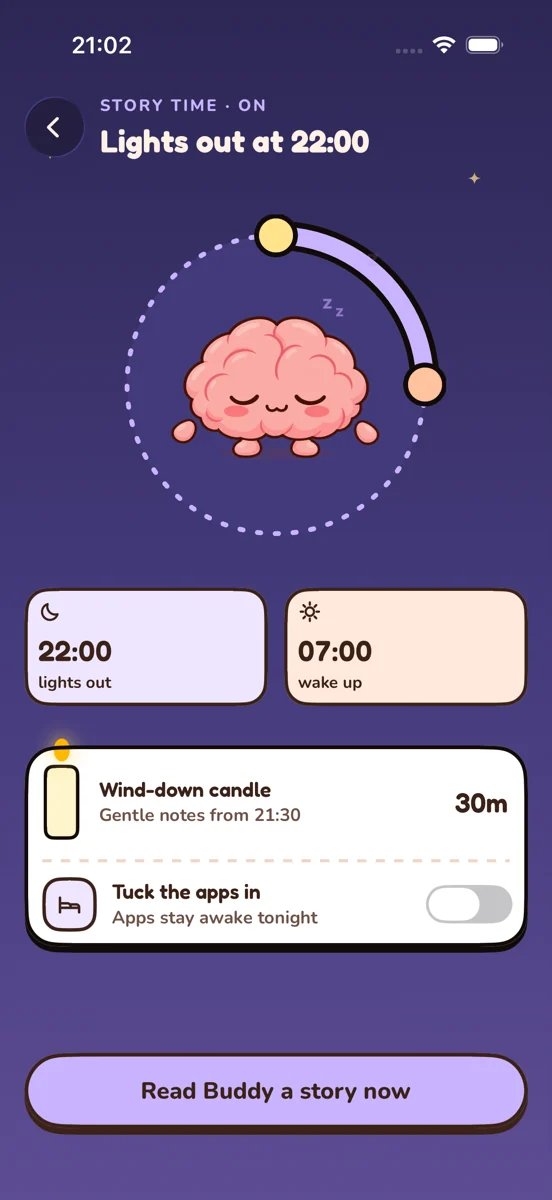
Story time: lights out at 22:00, wake up at 07:00
Story timebedtime schedule
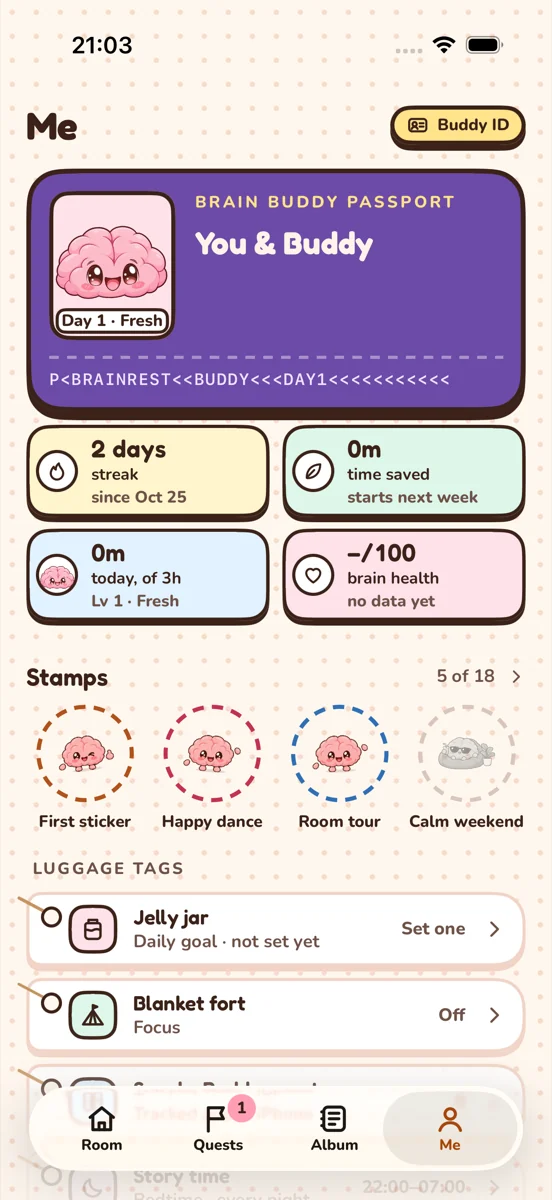
Buddy passport: streak, time saved and stamps
Buddy passportstreaks and stamps
Reviews

Small brains, big relief.

5.0★★★★★
Average on the Chrome Web Store
★★★★★
“I use this one to prevent my kids from using the laptop too much and it really really helped. Thanks team”
TTurneracaChrome Web Store · Jul 23, 2026
★★★★★
“I love this one. Remind me when I over scrolling”
SSteven LuisChrome Web Store · Sep 2, 2026
★★★★★
“This is a good tools to prevent you from using your PC too much”
NNaymarChrome Web Store · Jul 23, 2026

Read every review on the Chrome Web Store →

Pick your battleground

Phone, browser, or both.

Same Buddy, wherever you scroll.

iPhone, iPad & Android

The app

Your whole phone, looked after.

  • Screen-time analytics and all 10 Brain Levels
  • App limits, Focus Mode and Bedtime Schedule
  • Home-screen widgets
  • iOS / iPadOS 17 or later, or Android
Chrome & Edge

The extension

For the tabs that eat your workday.

  • Live, idle-aware tracking of the active tab
  • Site budgets, blocks, Pomodoro and Break Mode
  • Full history and calendar analytics with Browser Pro
Add toChrome Add toEdge
Privacy

What you scroll is your business.

Stays on your phone

On iPhone, iPad and Android, your screen time and per-app usage never leave the device.

Summaries, not sessions

In the browser, detailed sessions stay local. Only day-level totals per site can sync to your private account.

Never sold

Optional analytics never include the apps, sites, URLs or page titles you use, and you can switch them off.

Read the privacy policy →
Questions

Before you rest.

How is my Brain Level worked out?
It comes from your total screen time today. Under an hour keeps you Fresh, each extra hour costs a level up to Fading at six hours, and beyond that the brain gets Cooked, Fried, Melting and finally Dead.
What can it actually block or limit?
On mobile, set daily app limits, pause chosen apps with Focus Mode, and protect a bedtime schedule. In the browser, set overall or per-site budgets, block distracting sites, use Pomodoro cycles, and take a complete Break Mode.
Which browsers and devices are supported?
The mobile app is on the App Store for iPhone and iPad (iOS or iPadOS 17 and later) and on Google Play for Android. The desktop extension is listed on the Chrome Web Store and Microsoft Edge Add-ons, and may also work in Chromium-based browsers that support the same APIs.
How does the time tracking work?
On iPhone and iPad, Brain Rest uses Apple's Screen Time APIs to read usage on your device. On Android, it reads the phone's own usage stats once you grant Usage Access. In the browser, it times only the active tab in the focused window and pauses after 60 seconds of inactivity or when the screen locks.
Do I need an account?
Yes. An account keeps your settings and entitlement tied to you. On mobile, app-usage and screen-time details stay on the device. In the browser extension, day-level per-domain summaries can sync privately to your account.
Can I cancel, and do you offer refunds?
Manage mobile subscriptions in your Apple Account or Google Play; the store you bought from handles billing and refund requests. Manage Browser Pro through the Polar customer portal. Access remains active through the paid period after cancellation. See the Terms for details.

Something else? support@brainrest.pro

Give your brain a rest.

It's been working hard. Probably scrolling, but still.

Choose your platform